Registration and account filing process for the Reelshort platform
The complete ReelShort affiliate registration and account-filing walkthrough — invitation code, resource access, promotion methods, platform safelisting.
So you've decided to become a licensed promoter of ReelShort — smart move. ReelShort is one of the fastest-growing short-drama apps in the world, and as an authorized ReelShort affiliate you get your own invitation code, a tracked referral link, and access to officially sanctioned promotional assets you can use without any copyright risk.
The one step that trips up most beginners is the account registration and filing process inside the ReelShort distribution platform. It's not hard, but it has a few required fields and a couple of platform-specific rules you need to get right the first time — otherwise your promotions won't track, and your earnings won't pay out.
This guide walks you through the entire flow with real screenshots, from entering your invitation code to filing your account, setting up platform safelisting, and finally withdrawing your commissions. If you don't have a code yet, grab one through our authorized invitation code program first, then come back here.
How to Register
For the new system, the invitation code is a required field. You cannot complete registration without one — the bind invitation code box must be filled in, or the platform will reject the sign-up.
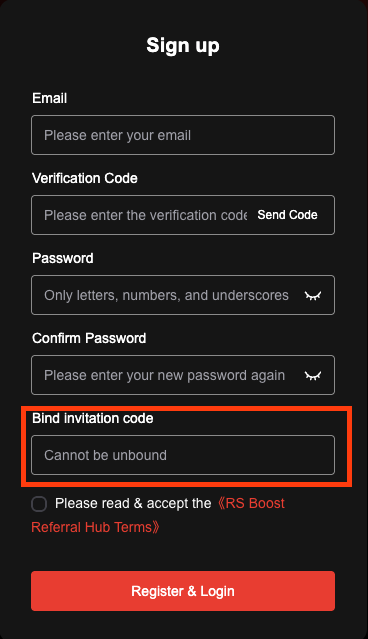
Enter the code you received from your upline (that's us — we're a licensed promoter network of ReelShort), complete the remaining fields, and submit. Once your account is created you land in the distributor dashboard, which is where everything below happens.
Need a code? Email partner@shortdramapartner.com and we'll issue your authorized ReelShort invitation code so you can register immediately.
Resource Access — Short Dramas & Novels
After the new system goes live, both ReelShort short dramas and Kiss novels are available inside the distribution platform. These resources are officially authorized and free to use — there is no copyright risk when you promote them.
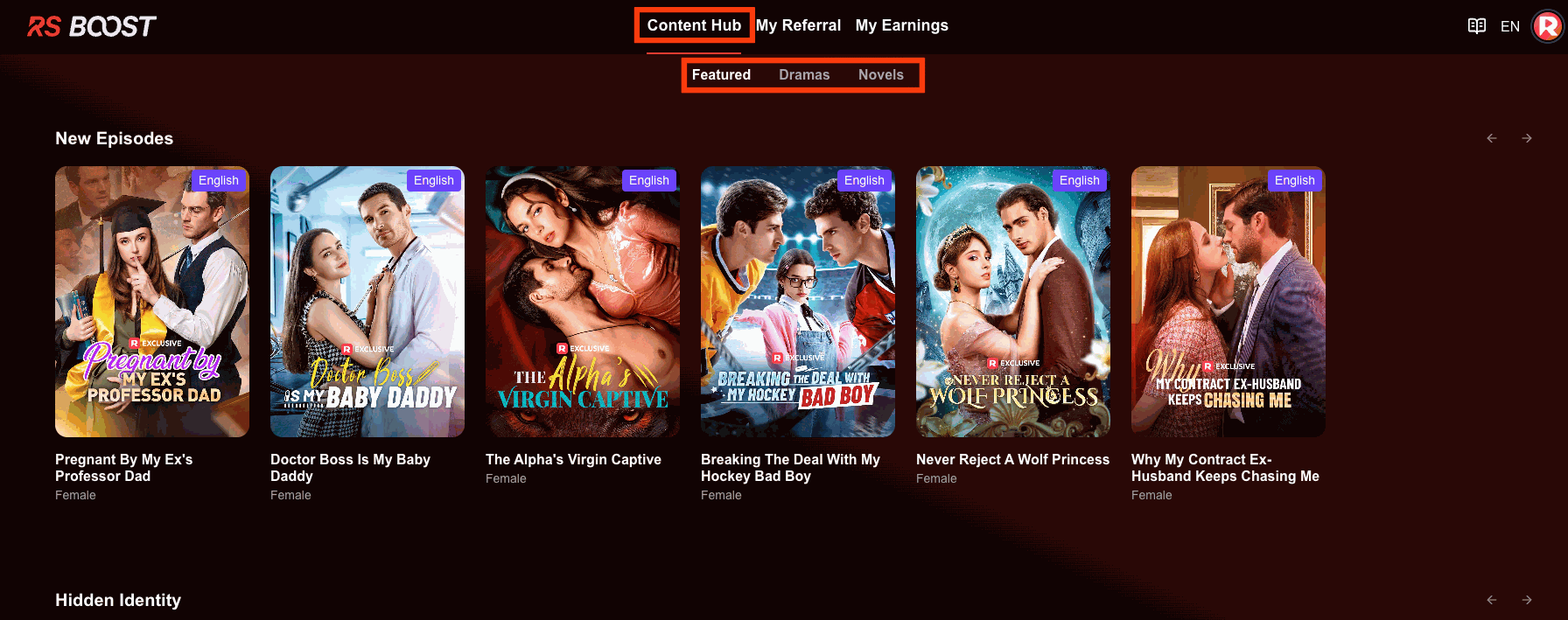
One rule you must respect: when publishing promotional materials, use only the assets available on the distribution platform. If you use unauthorized or private materials, two bad things happen — you generate no earnings, and you expose yourself to copyright risk. Stick to the official library and you're safe.
Content Hub — Featured
The "Content Hub" → "Featured" page displays trending titles and newly released series in real time. These are the titles the platform is actively pushing, so they convert best. Prioritize promoting what shows up here.
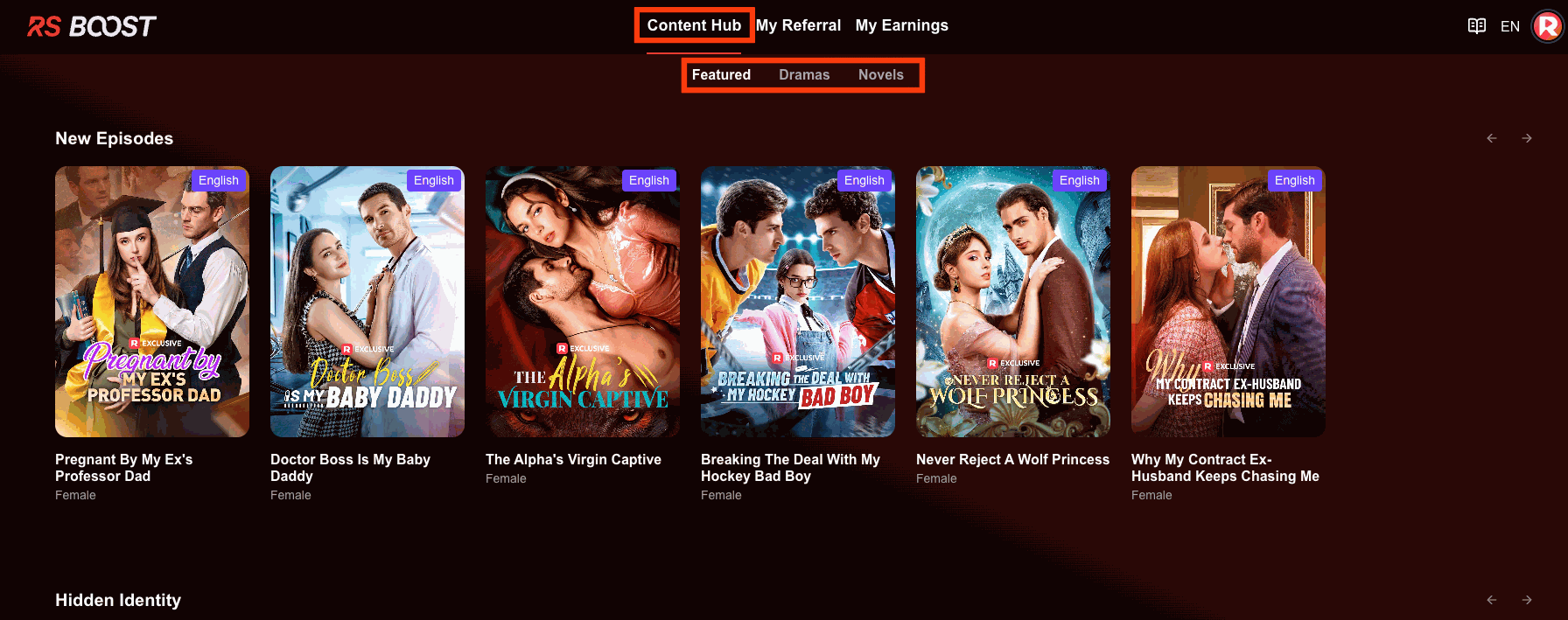
This is your everyday source of "what should I promote today." Check it before you batch your content — the algorithm rewards promoters who ride the trending wave.
Obtaining Resources
Click on any show cover and you can freely obtain the resources you want, along with the corresponding promotional link and referral code. Everything you need to start a campaign is bundled into one click.
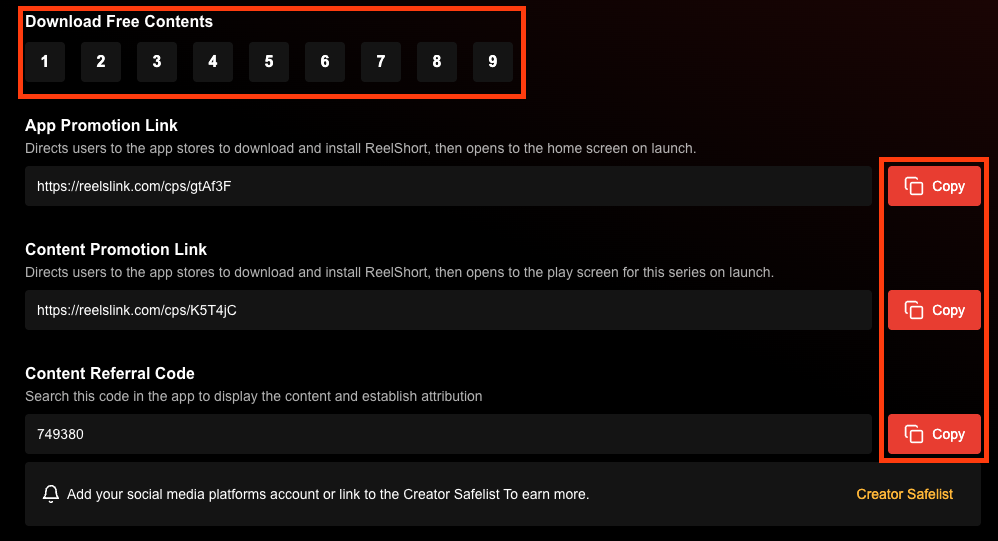
Copy both the link and the code — you'll use them in the next step depending on which platform you're promoting on.
Promotion Methods — Links & Codes
The new system added two promotional paths: the link and the referral code. Which one you use depends on the platform (covered in the table below).
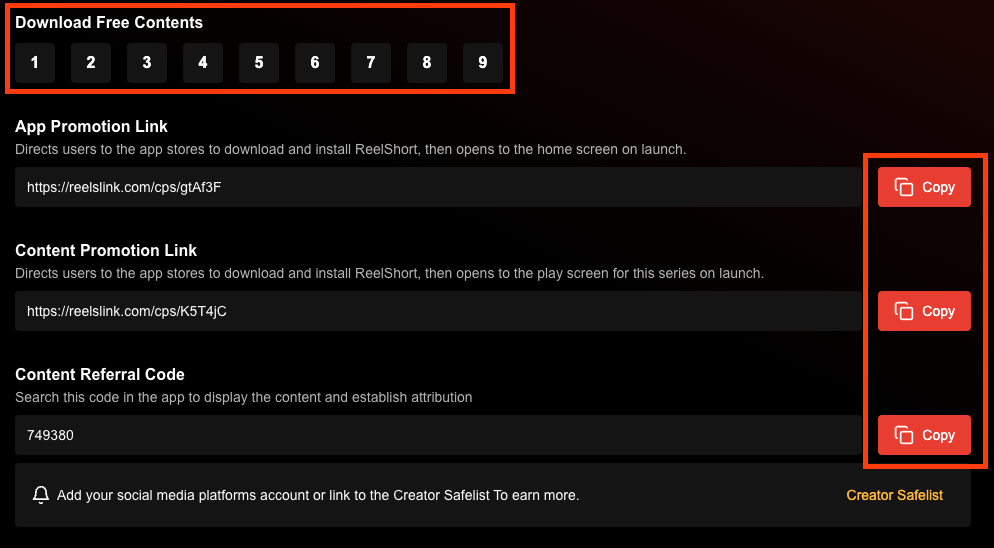
- Promotional link — best for platforms that let you put a clickable URL in your bio, homepage, video description, or comments.
- Referral code — best for platforms (like TikTok) where you can't always drop a link but can show a code on screen, in the title, or in comments.
Applicable Platforms & How to Use Them
Here's exactly how the two methods map to the four big platforms. This is the part most promoters get wrong, so study it once and save yourself a rejected payout later.
| Platform | Supports distribution & traffic? | Promotional link | Referral code |
| --- | --- | --- | --- |
| YouTube | Yes | ✅ Add a link on your homepage, or use it in video descriptions and comments | ❌ |
| TikTok | Yes | ✅ Add a link to your homepage (you need 1,000+ followers to unlock links — see below) | ✅ Add the code in the video, title, or comments — works with 0 followers |
| Facebook | Yes | ✅ Add a link on your homepage and allow external links in posts, images, and videos | ❌ |
| Instagram | Yes | ✅ Add an external link in your profile bio | ❌ |
For the full per-platform playbook — hook formulas, posting cadence, and attribution — read our four-platform promotion guide.
Account Safelisting
Different platforms have different filing rules. Get these right or your traffic won't be credited.
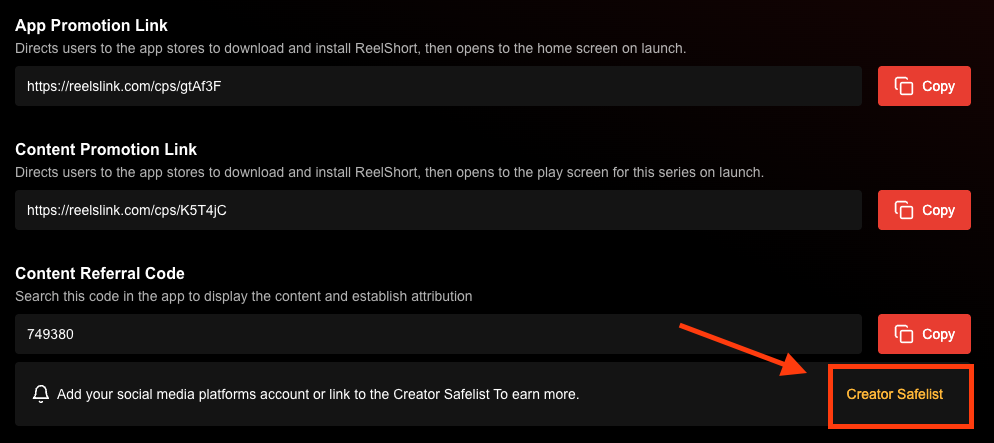
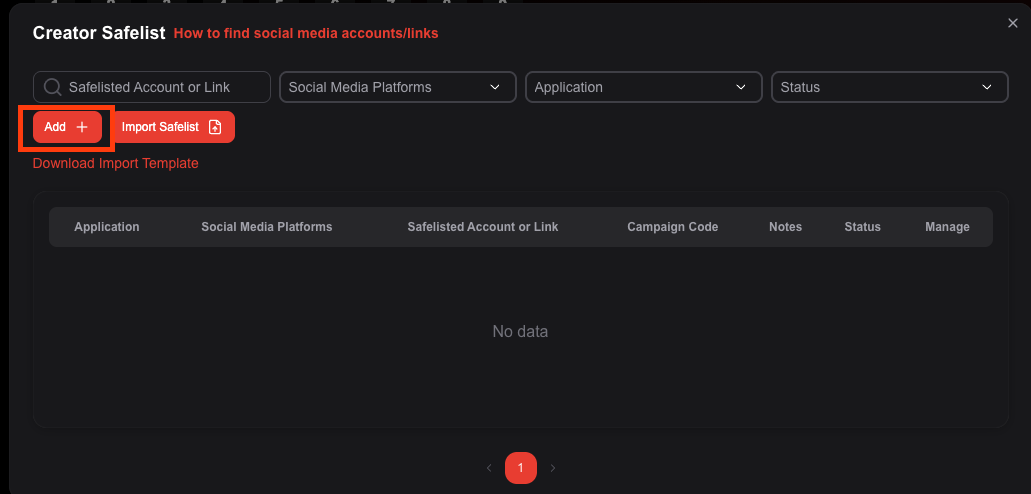
- TikTok — Upload your TikTok account handle (the characters after "@") on the distribution platform so your account is safelisted and your promo traffic is attributed.
- YouTube / Facebook — After you submit the account registration, you can directly promote and publish free, platform-authorized content without waiting for official approval or status confirmation.
⚠️ Critical YouTube warning: YouTube only allows the publishing of original productions. If you upload content that is not from ReelShort's original productions, you will face copyright issues and your account will be banned — with no chance of recovery. Always use only the official assets from the distribution platform.
Withdrawal of Earnings
This is the part everyone cares about. ReelShort pays out on a fixed schedule — know it before you start.
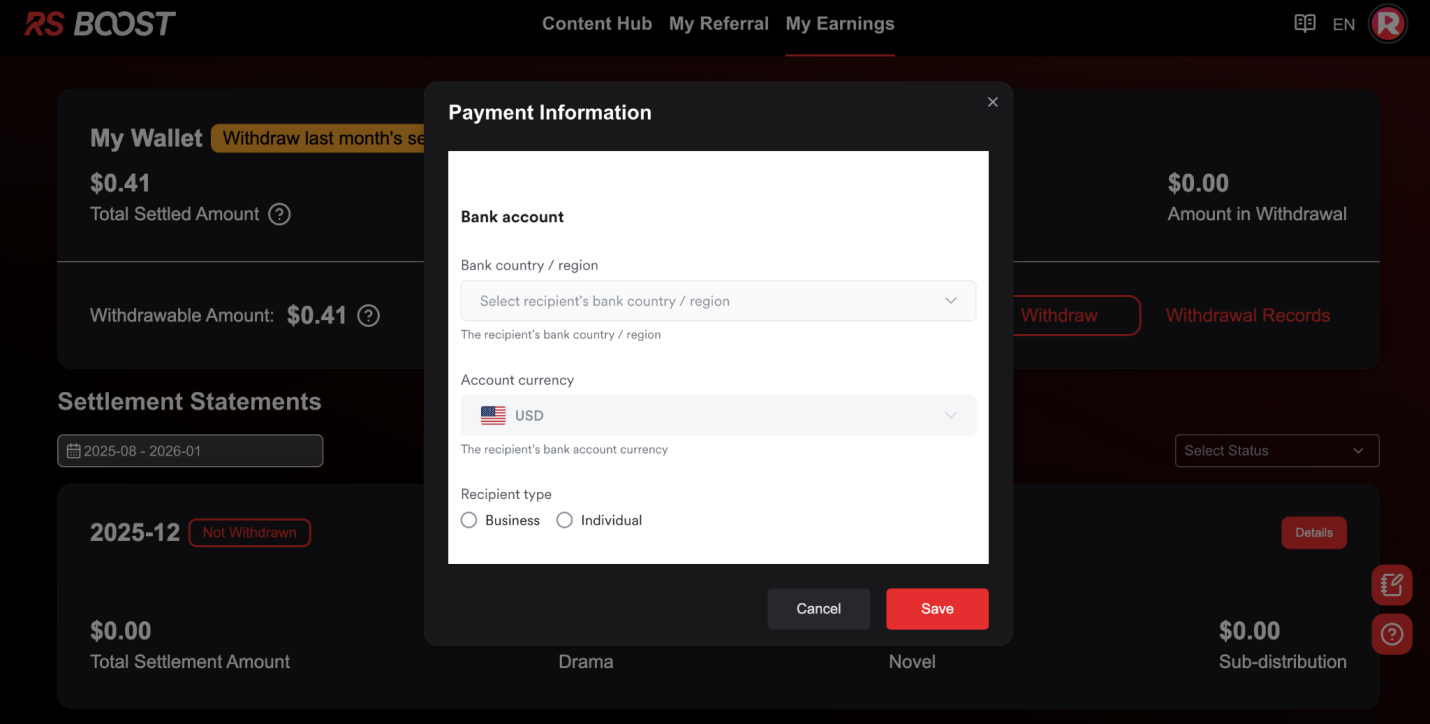
- Withdrawal period — After last month's earnings are confirmed, withdrawals open between the 12th and 20th of the current month.
- Withdrawal threshold — Your earnings must exceed $50 USD to be eligible for withdrawal.
- Withdrawal method — Enter your bank card information in the backend first. Payment completes within 10 days after you confirm the payout amount and verification shows no errors. If verification takes longer than 10 days, payment slips to the 25th of the following month.
💡 Always double-check your bank details. If a payment is rejected due to incorrect payment information, you'll be notified by email — fix it before the window closes. For the tax and payout details, see our payment, payouts & taxes guide.
View Earnings Details
You can view the full breakdown of your account's commission earnings in the earnings details section at any time.
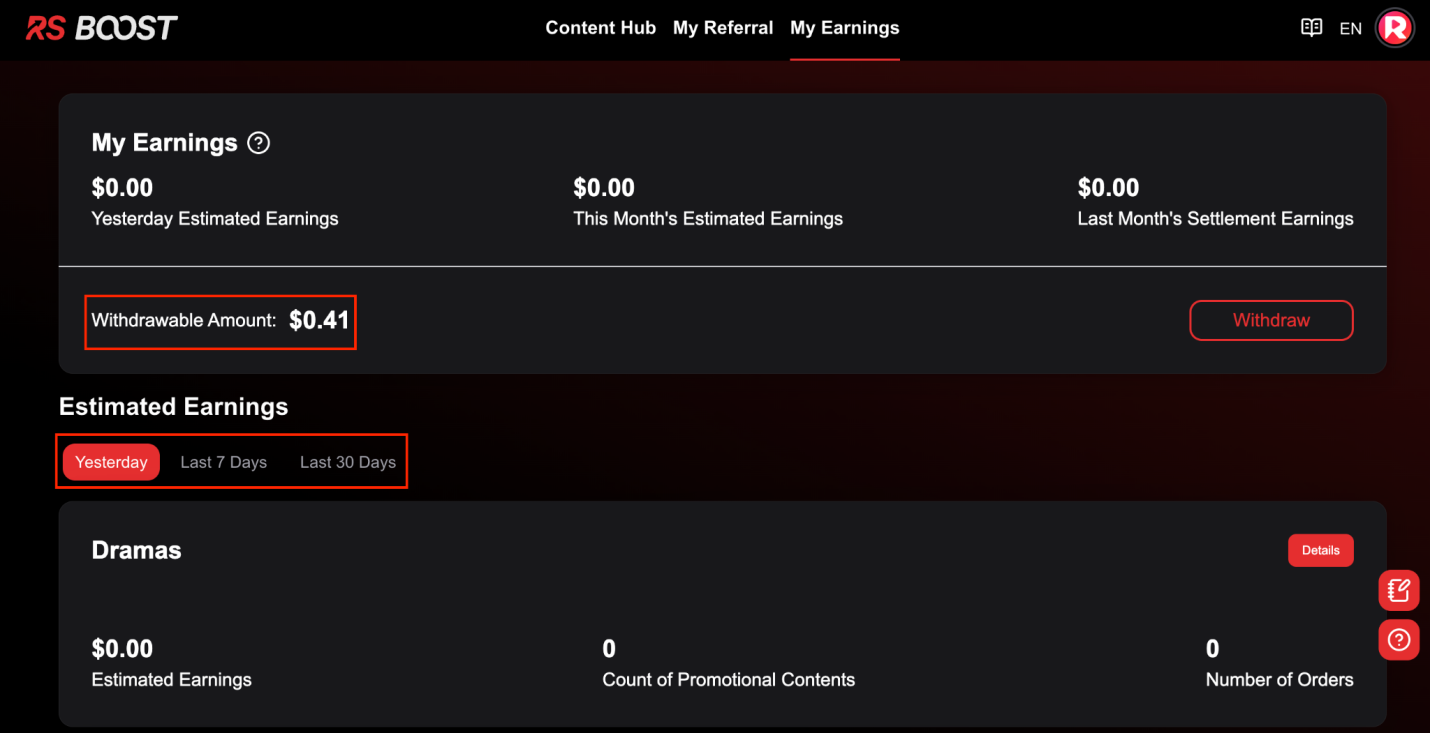
This is where you validate that your links and codes are tracking correctly. If a campaign you ran isn't showing here, check your safelisting and link mounting — don't wait until payout day to discover a tracking gap.
The Withdrawal Process
When the withdrawal window opens, here's the actual flow you'll walk through — confirm amount, verify details, submit.
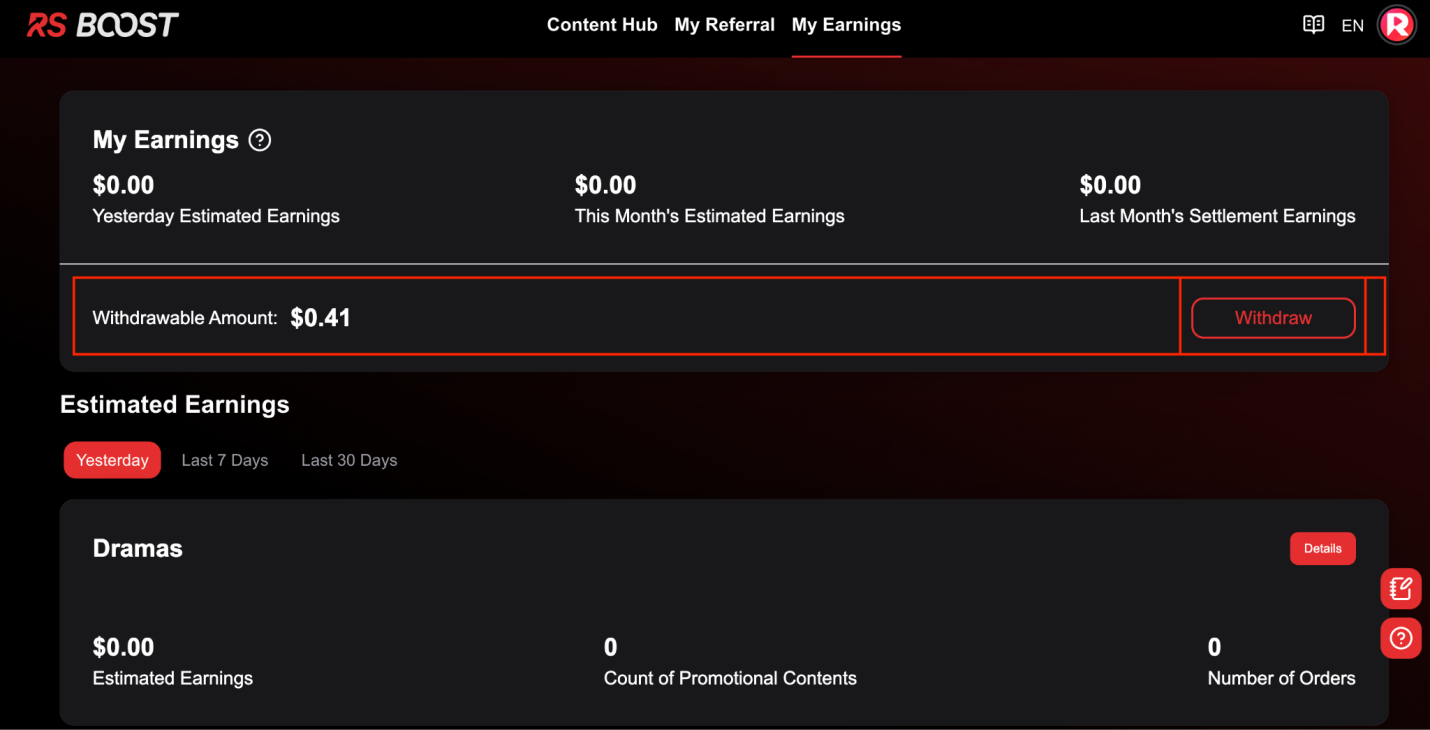
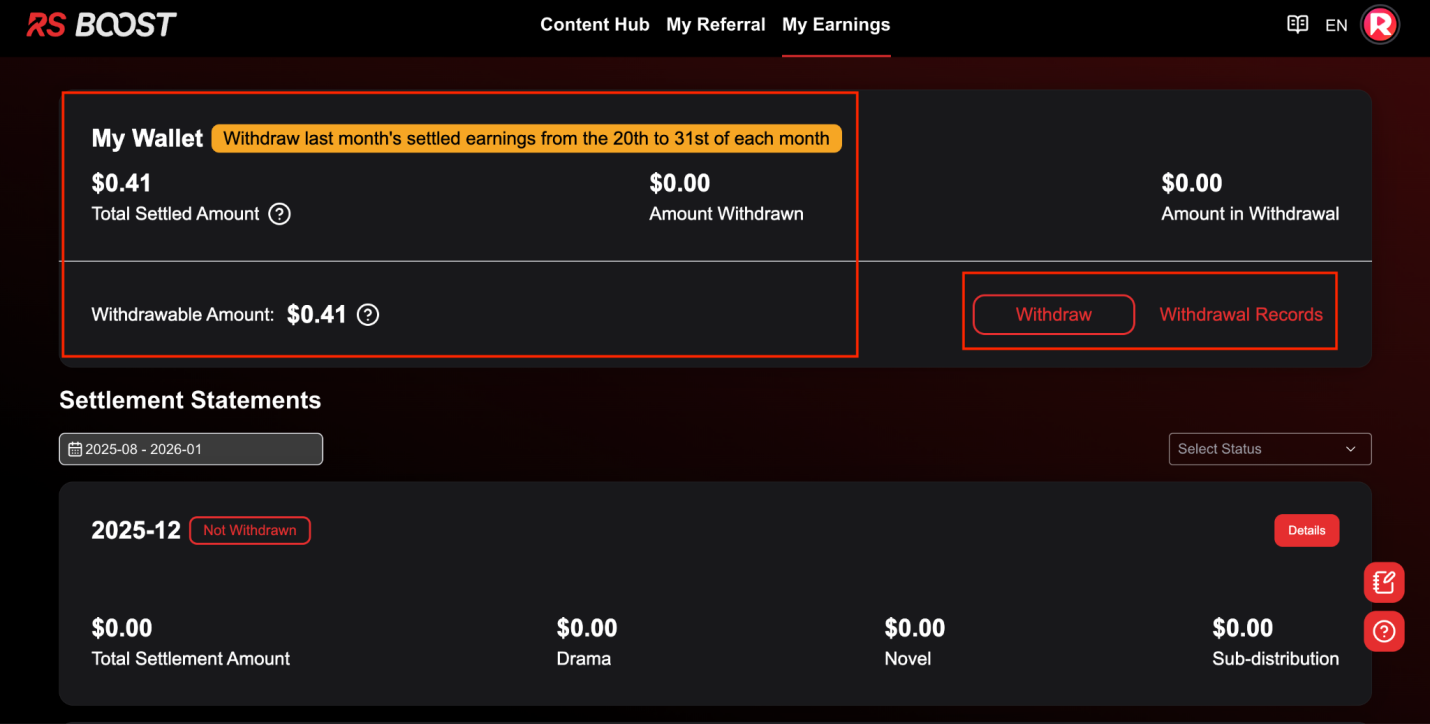
Submit within the 12th–20th window. The backend shows payout status so you can confirm the transfer initiated. For how the commission math works, read our commission calculation guide.
View Sub-Account Commission Earnings
If you've built a team, you can view the commission earnings generated by your sub-accounts in the commission earnings section. This is your 2-tier / sub-affiliate override — the part of the program that compounds.
Our sub-affiliate system explainer breaks down exactly how the override pays and why it beats flat payouts.
Frequently Asked Questions
Can I register without an invitation code? No. The bind invitation code is a required field on the new system. Request an authorized code from partner@shortdramapartner.com.
Why did my promo earn nothing? Almost always one of three causes: you used unauthorized materials (no earnings + copyright risk), your account wasn't safelisted, or your link/code wasn't mounted correctly per the platform table above.
My YouTube account got a copyright strike — what now? ReelShort originals only. Uploading non-original content on YouTube leads to a permanent ban with no recovery. Use only official distribution-platform assets.
When do I get paid? Between the 12th and 20th of the month after earnings are confirmed, once you clear the $50 threshold and your bank details verify clean.
Ready to File Your Account?
You now have the complete registration and account-filing walkthrough — every screen, every required field, every payout rule. The only thing missing is your authorized ReelShort invitation code.
As a licensed promoter network of ReelShort, we issue codes to new affiliates every day. Email partner@shortdramapartner.com with the subject "ReelShort code" and we'll send yours so you can complete registration and start filing your account today.
New here? Our ReelShort Affiliate FAQ: 30 Questions covers the getting-started, commission, and payout questions promoters ask most.
Related resources: Program terms come from the ReelShort site; the disclosure and record-keeping rules are set out by the FTC disclosure guidance for influencers.
---
Email partner@shortdramapartner.com for channel-docking consultation and help applying for your ReelShort invitation code through official channels.
This is an independent channel-docking resource. It is not affiliated with or endorsed by ReelShort.
Frequently Asked Questions
How do I get started with Registration and?
Email partner@shortdramapartner.com to request your invitation code. We send your personal code and a step-by-step onboarding link within 24-48 hours.
How do I join the ReelShort affiliate program?
Email partner@shortdramapartner.com with your name, your promotion channels (TikTok, YouTube, blog, etc.), and an estimate of your monthly traffic. We reply within 24-48 hours with your personal invitation code and registration link.
Do I need any experience to start?
No. Our free guides walk you through every step - from getting your code to publishing your first promo post - so complete beginners can follow along.
How soon can I earn my first commission?
Most new affiliates see their first conversions within 2-4 weeks of consistent daily promotion.
Want Your Own ReelShort Invitation Code?
You just read how it works — now grab your personal code and start promoting. Enter your email and we'll send it right over.
We'll only use your email to send your invitation code and occasional program updates. No spam.
Comments
Comments powered by Giscus will appear here.