Opus Clip Review: Scene-Aware Clipping for Drama Hooks
A working review of Opus Clip's scene-aware clipping for short drama promotion - ClipAnything, caption styling, the drama workflow, limits, and who should skip it.
A clipper that only understands talking heads is useless on short drama. An episode is a sequence of scenes — a door opens, a glass breaks, a character turns around — and the moment worth promoting is often visual, not verbal. That is the problem Opus Clip was built around: its ClipAnything model reads scenes rather than just speakers, ranks the moments it thinks will hold attention, and hands back vertical clips with captions already attached. This is a review of what that actually does for drama promotion, from someone who cuts clips rather than someone repeating a feature list.
Scene-aware clipping, in plain terms
Traditional highlight tools score a video by audio energy, speech density, or face time. Drama breaks those signals: the strongest beat can be a silent reaction shot, and the loudest scene can be pure filler. A scene-aware model looks at what happens across frames — entrances, reversals, physical confrontations — and uses that to find candidate clips.
For a promoter, the practical difference is where your time goes. Instead of scrubbing a forty-minute source to find the slap or the identity reveal, you start from a ranked set of candidates and spend your effort on the one judgment a model cannot make: where to cut so the question stays open. The hook formulas are selection rules for that final decision, not a substitute for finding the moment.
What Opus Clip gives you
| Feature | What it means for drama clips |
|---|---|
| ClipAnything scene detection | Surfaces reveals, confrontations, and reaction beats from long sources |
| Virality score | A ranked shortlist of candidate clips to review, not a publish queue |
| Animated captions | Creator-style word-by-word subtitles tuned to short-form feeds |
| Auto-reframe with subject tracking | Keeps faces centered when source footage is horizontal |
| ClipAnything / multi-input support | Works across footage types, not only talking-head video |
| AI B-roll and cleanup | Optional polish layers for clips that need visual variety |
| Trial credits | Enough to test the model on your own material before paying |
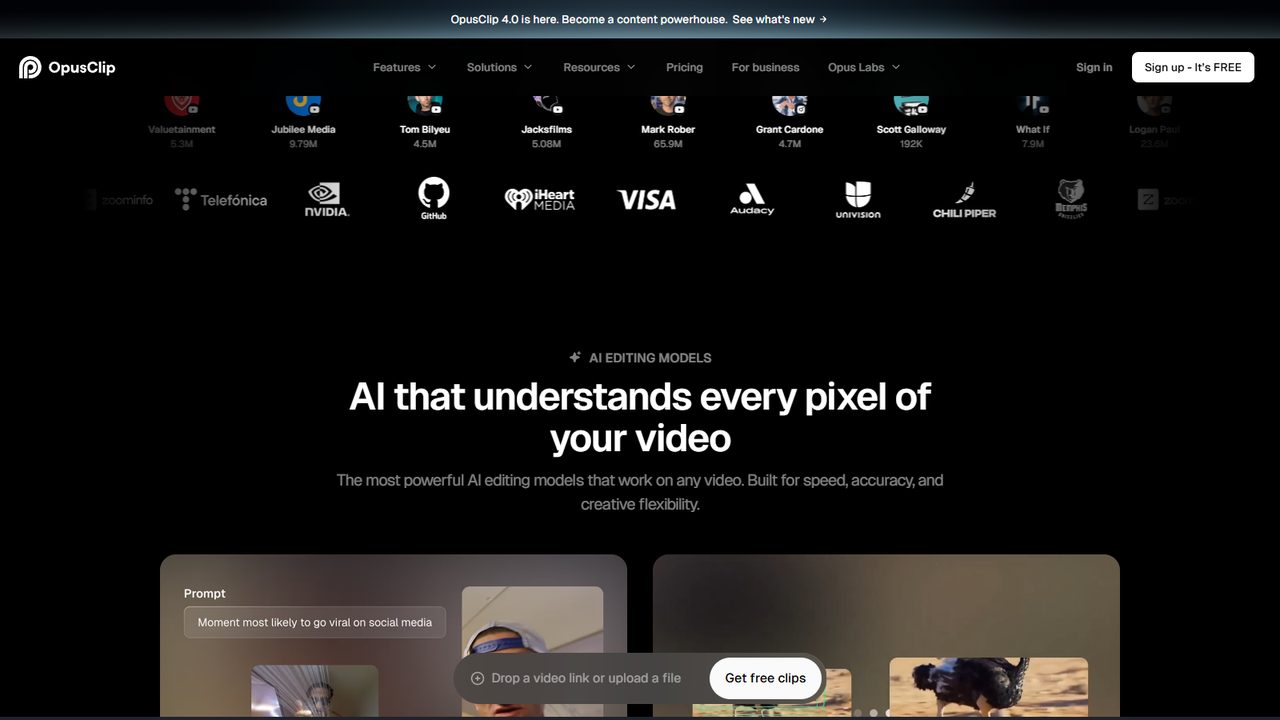
The caption styling is the visible difference from transcript-first tools. Animated, emphasis-heavy captions match what already circulates on TikTok, which matters when a drama clip needs to read as native content rather than a subtitle file. If your channel runs recap or breakdown formats instead, the cleaner caption output in our Vizard review is a closer match. We laid out the full split in the Opus Clip vs Vizard comparison.
The drama workflow I actually run
- Start with authorized material. Join through official channels — the invitation code walkthrough covers the application — and use the assets described in the promotional assets guide. Fingerprint detection ends channels regardless of how good the AI edit is.
- Feed a full source, not a pre-cut. Scene detection needs context; trimming the source first removes the material the model uses to judge a moment.
- Review the ranked list, ignore the score. A candidate is a hypothesis. Open on the moment of conflict, check the first three seconds, keep only clips with an unanswered question.
- Cut before the resolution. This is the step no clipper does for you. Apply the editing templates so every clip starts from a structure instead of a blank timeline.
- Pass the captions. Names, honorifics, and genre terms get mangled. One wrong subtitle in a dialogue-driven niche reads as careless. For a styling-first pass, see the SubMagic review.
- Export per platform and track. Presets are a starting point, not a final answer; opening pacing differs across feeds. Tag every link using the UTM attribution guide.
Where Opus Clip falls short
A ranked shortlist is not an edit. The model finds engaging moments, not suspense loops — it will happily hand you a scene that resolves the conflict, which is exactly what a promotion clip must not do. Caption styling is opinionated; if your audience expects restrained subtitles, you will spend time dialing it back. Trial credits are limited, so the free window is for evaluation, not production. And like every clipper, it has no opinion about rights: feed it unlicensed footage and it will produce polished evidence of a policy problem. The wider field is mapped in the editing tools roundup.
Pricing logic
Opus Clip is a monthly subscription with trial credits up front. My sequence: run the same three authorized source clips through the trial, count how many of the ranked candidates you would actually publish after hook-editing, and compare that to the time you spent scrubbing before. If the shortlist saves real hours and your clips are already earning clicks, the subscription earns its place. If you are cutting only a few clips a week, a free editor plus your own judgment is cheaper and nearly as fast. The stage-by-stage rule is in the tool stack budget guide.
Common Mistakes when using Opus Clip for drama promotion
- Publishing the top-ranked clip unchanged. The score measures engagement signals, not whether the cut leaves a question open.
- Feeding a pre-trimmed source. Scene detection needs the surrounding footage to judge what counts as a moment.
- Skipping caption review. Animated captions make errors more visible, not less.
- Letting auto-reframe decide framing on two-shots. Check faces in the first and last seconds of every export.
- Buying a plan during the trial high. Judge the tool on three different source types, not one lucky batch.
FAQ
Does Opus Clip work on drama footage, not just podcasts?
Yes — ClipAnything is built to read scenes across video genres, which is why it fits drama better than highlight tools tuned to talking heads.
Will it cut before the resolution for me?
No. It finds candidate moments; the cut-before-resolution decision stays with you. That is the edit that creates the reason to click through.
Are animated captions right for every drama channel?
No. They suit creator-style feeds; recap and breakdown channels often read better with restrained subtitles. Test both on the same cut.
Can I use Opus Clip on a phone?
It is web-first and runs in a mobile browser, but the comfortable workflow is desktop editing followed by posting from the phone, as the mobile-only workflow describes.
Should I run Opus Clip and Vizard together?
Only during the trial period, to decide which editor matches your hands. Long-term, they remove the same bottleneck — keep one.
Verdict
Opus Clip is the closer fit for promoters who want scene-level discovery and native-looking caption polish with minimum timeline work. It is not a suspense engine, not a rights solution, and not a caption proofreader — but it removes the slowest part of sourcing drama moments. Use the trial on three real clips, keep the ranked shortlist as raw material, and let your retention data decide whether to pay. The full chain from source to published post is in the clip production workflow.
Related reading: Opus Clip vs Vizard · Vizard Review · Hook Formulas · Editing Tools Roundup · Tool Stack Budget
Some links in this guide are affiliate links — we may earn a commission at no extra cost to you, and this never affects our verdicts.
This is an independent channel-docking resource. It is not affiliated with or endorsed by ReelShort or any tool reviewed above.
Email partner@shortdramapartner.com for channel-docking consultation and help applying for your ReelShort invitation code through official channels.
Frequently Asked Questions
How do I get started with Opus Clip?
Email partner@shortdramapartner.com to request your invitation code. We send your personal code and a step-by-step onboarding link within 24-48 hours.
How do I join the ReelShort affiliate program?
Email partner@shortdramapartner.com with your name, your promotion channels (TikTok, YouTube, blog, etc.), and an estimate of your monthly traffic. We reply within 24-48 hours with your personal invitation code and registration link.
Do I need any experience to start?
No. Our free guides walk you through every step - from getting your code to publishing your first promo post - so complete beginners can follow along.
How soon can I earn my first commission?
Most new affiliates see their first conversions within 2-4 weeks of consistent daily promotion.
Want Your Own ReelShort Invitation Code?
You just read how it works — now grab your personal code and start promoting. Enter your email and we'll send it right over.
We'll only use your email to send your invitation code and occasional program updates. No spam.
Recommended Tools
Tools our team actually uses to produce and promote short drama clips.
- Opus ClipTurn long drama episodes into scroll-stopping shorts automatically
- SubMagicAuto-captions, emojis and b-roll for short-form video
- ElevenLabsAI voiceovers — dub Mandarin drama clips into natural English
- VizardTurn long recordings into short social clips with transcripts
- GetResponseEmail marketing to grow your own promo audience
- Systeme.ioFree funnels, email and automation for affiliate beginners
Some links above are affiliate links — we may earn a commission at no extra cost to you. This never affects our rankings or recommendations.
Comments
Comments powered by Giscus will appear here.